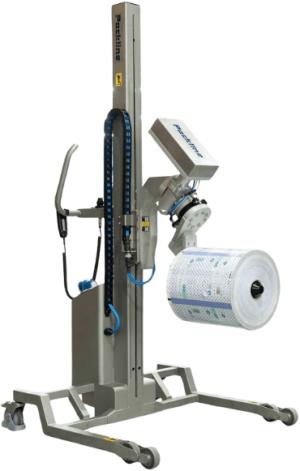
For safety reasons, the lifter is shipped with the batteries disconnected. Users must install, connect and charge the batteries upon delivery.
Recommended Battery Practice:
To ensure reliable operation, do not allow the batteries to fully discharge, as they cannot be recharged once completely flat. For optimal performance and battery life, keep the machine on charge when not in use.
1. Warning! Before removing the rear cover, ensure that the charging lead is not connected to the mains electrical supply or the Compac machine charging socket.
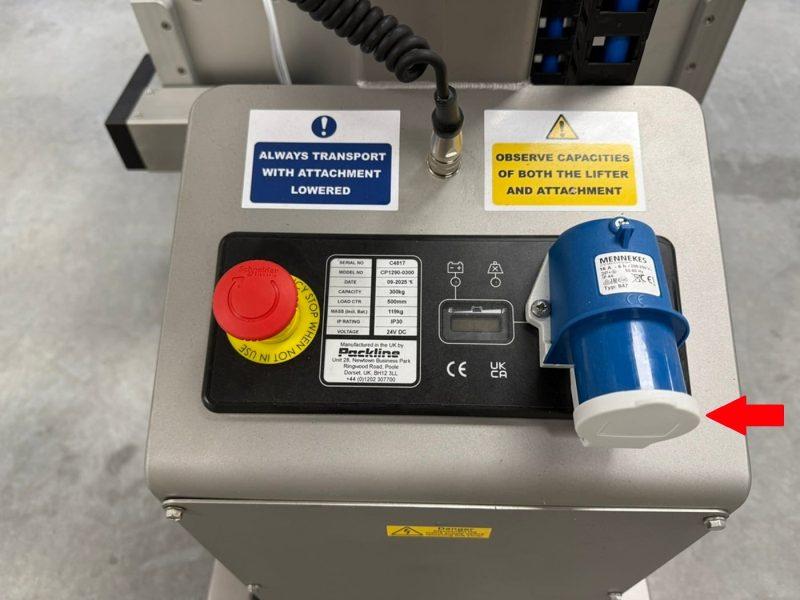
2. Remove the Electrical Enclosure Cover by removing the six retaining screws.
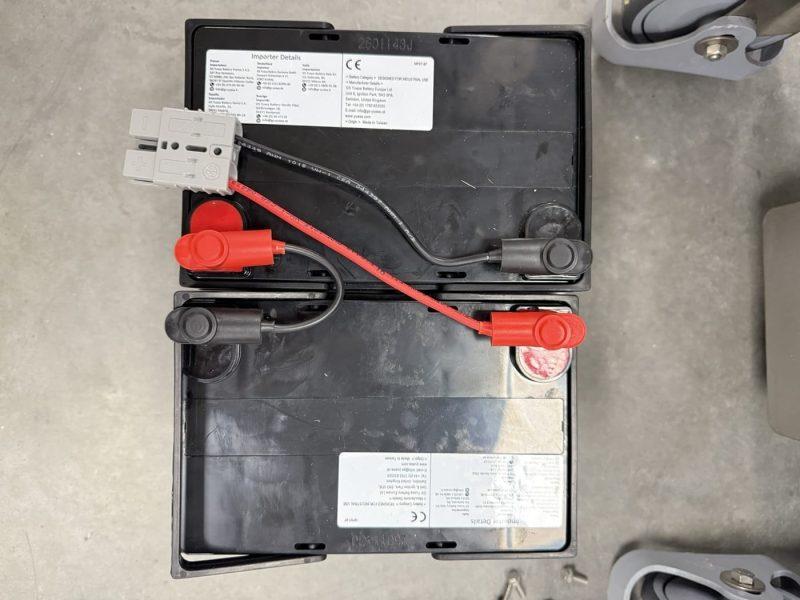
3. Connect positive lead (red) to positive terminal (+) of the 1st battery, and negative lead (black) to negative terminal (–) of the 2nd battery, as shown. Connect the link lead to the remaining positive (+) and negative (–) terminals.
Warning! Incorrect polarity connection will damage the electrical system and invalidate the warranty.
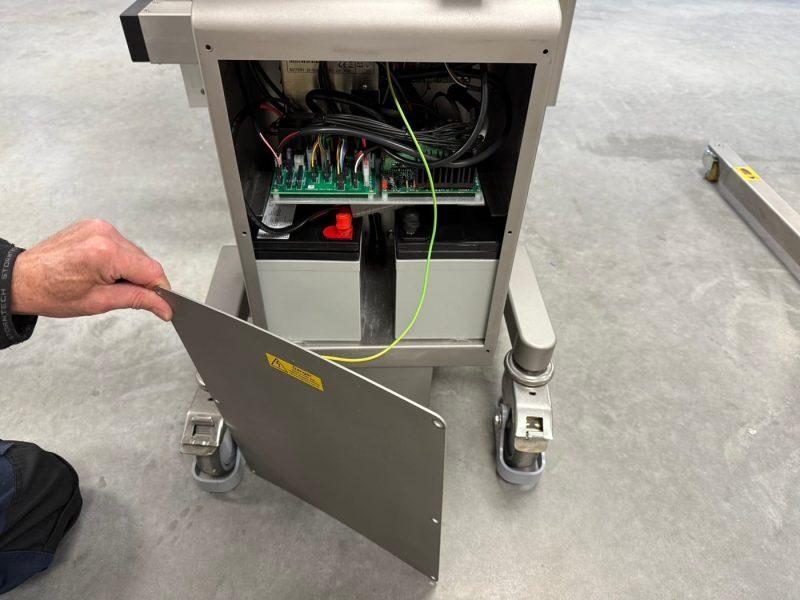
4. Install the batteries into the electrical cabinet and connect the battery plugs as shown. Ensure the earth lead is connected to the cover’s tab.
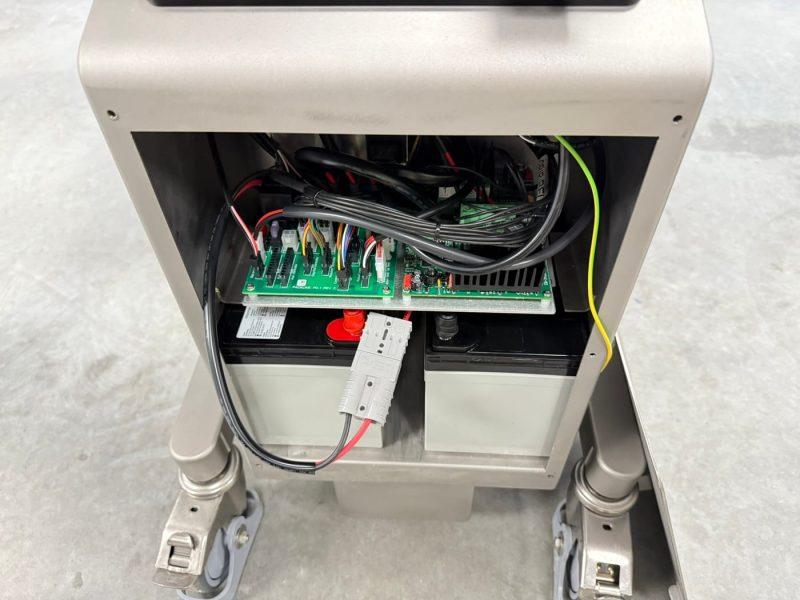
5. Replace the Electrical Enclosure Cover, ensuring that the 6 screws are securely fastened.
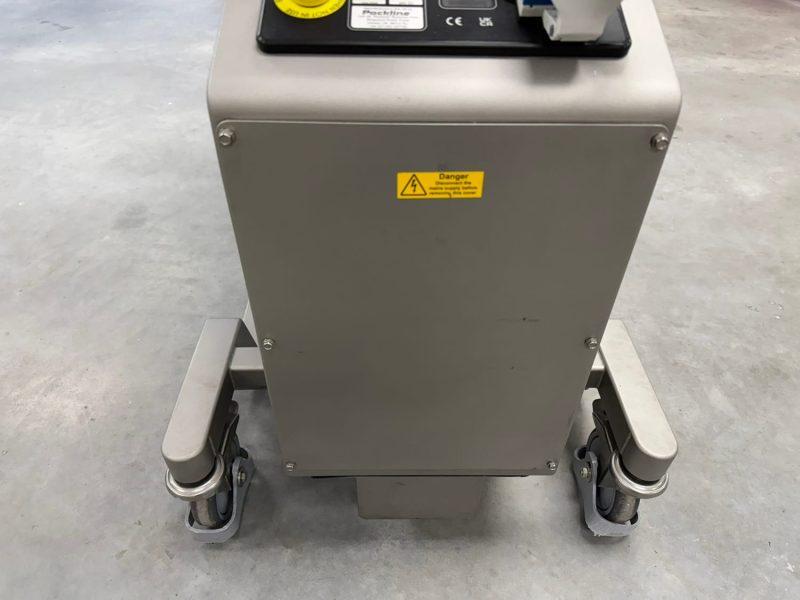
6. IMPORTANT – Initial Charging Before First Use
Before using the machine for the first time, charge it for a minimum of 2 hours to ensure the battery and charger are correctly synchronised. To charge the machine, connect the charging cable to the mains supply. Check the battery level indicator and continue charging until a full charge is shown.
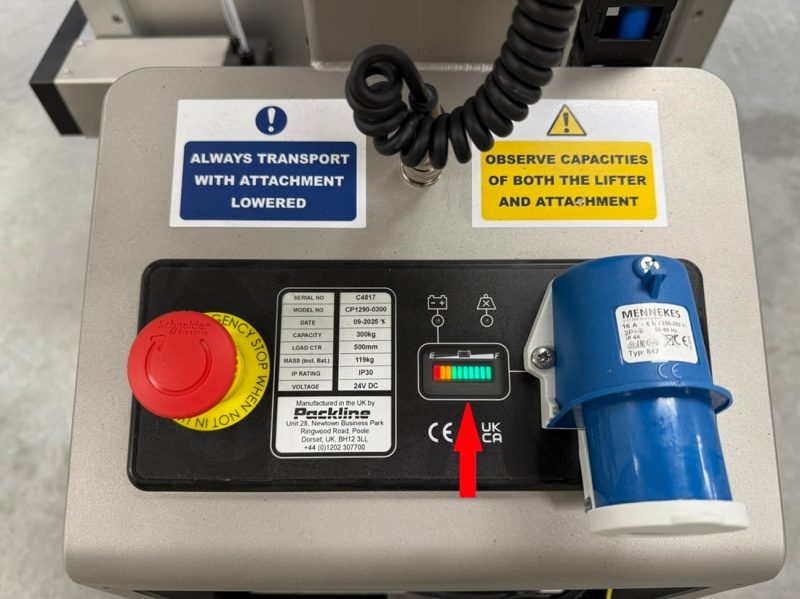
7. We recommend using the e-stop as a power shut off when your lifter is not required. This will need to be released when Compac is required again.
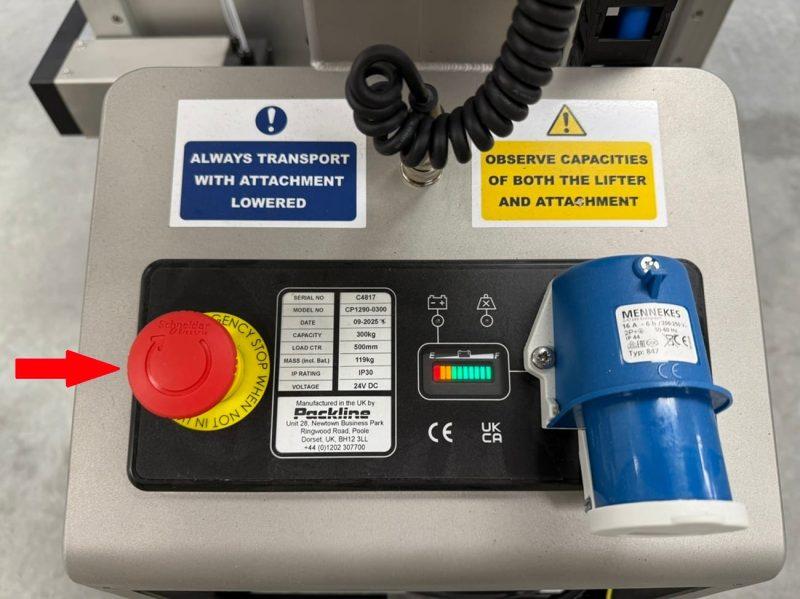
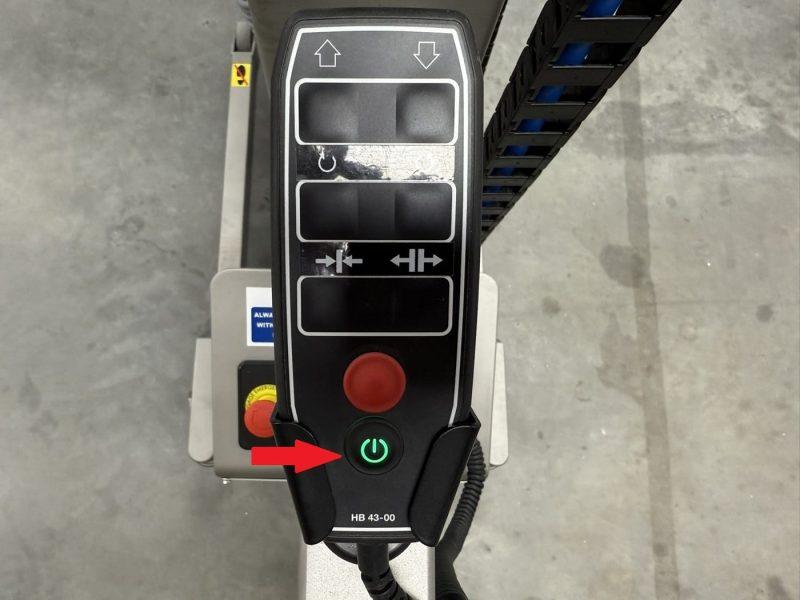
8. This lifter is fitted with an automatic switch off timer which will put the lifter into standby after 2 minutes of no use. When this is activated, you will need to press the on / off switch on the remote to reactivate lifter.
Refer to the full manual for details on operations and safety.
For further assistance Contact Us at Packline +44 (0)1202 307700.
Quick Troubleshooting Guide
This guide assists with the most common and straightforward issues encountered during operation.
If a problem persists or appears more complex, refer to the main manual or complete this form to Report an Issue for Warranty or Repair
Recommended Battery Practice
Step 1 – Check Battery Condition
Step 2 – Check Fuses
Step 3 – Check Connections
Step 4 – Check Micro Switch Function
If all checks fail:
→ Replace the PCB Board or contact Packline.
Step 1 – Identify Which Direction Fails
Step 2 – Check Switch and Wiring
Step 3 – Check Control Panel & PCB Wiring
If all checks fail:
→ Replace the PCB Board.
Step 1 – Check Charger Fuse
Step 2 – Check Battery Health
Step 3 – Check All Charging Connections
If all checks fail:
→ Replace the transformer or contact Packline.
Step 1 – Automatic Safety Cut-Out
Step 2 – Check Battery Voltage
If issue continues:
→ Components may be worn—contact Packline.
Minor Vibrations
Severe Vibrations
If further assistance is required or replacement parts are needed, please contact Packline.